

An overseas tool grinding factory purchased 2 sets of CCD detection devices for real‑time observation and dimension measurement of PCD tool tip radius and cutting‑edge angle during the grinding process. The system is retrofitted onto existing grinding machines to improve grinding accuracy and production efficiency.
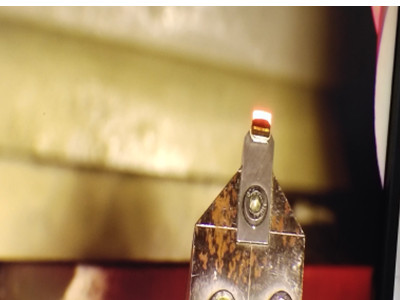
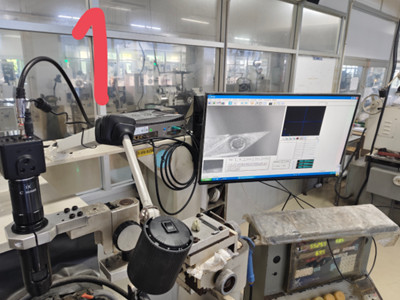
Among the two CCD camera kits: Unit 1 worked perfectly with a clear tool image displayed in software (Picture 1). Unit 2 showed a blank screen with no video output (Picture 2).
The customer performed a cross‑swap test: swapped the whole camera and cable assembly to the second computer unit, but there was still no image. The customer suspected the fault came from the computer hardware and submitted a request for technical support.
Customer original feedback:
"Last time we buy CCD camera set 2 sets. The first set worked(picture 1) but the image didn't appear in the second set(in picture 2). We try to swap camera set with cable to second set it is not ok. We think the problem form computer unit. Can you support we?"
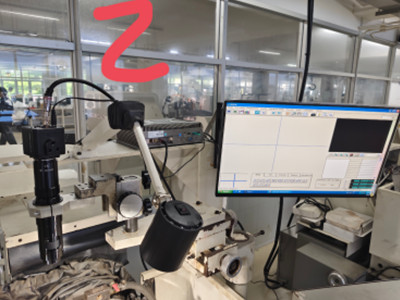
In grinding workshops with heavy dust and mechanical vibration, this no‑image issue is usually not camera hardware damage, but poor signal connection or an oxidized frame‑grabber card. Dust and machine vibration may loosen signal connectors or cause oxidation on the gold finger of the image acquisition card, resulting in blank display without video signal.
Unplug both ends of Camera Link / coaxial video cable between CCD camera and frame grabber, then re‑plug and tighten the connectors firmly.
After completing the above simple maintenance steps, the second CCD unit restored normal image output and resumed on‑site production.
Tips: In dusty industrial workshop environment, many reported hardware failures are caused by poor contact. Check cables and acquisition card first before replacing the whole unit to minimize production downtime.
Our CCD detection device fits most PCD tool grinders. Magnification range:14x‑70x, measuring tool tip radius R0.1‑R6mm. It supports on‑site measurement of length, angle and arc radius during grinding process. It is a low‑cost upgrade solution to improve machining precision and reduce scrap rate for tool manufacturers.
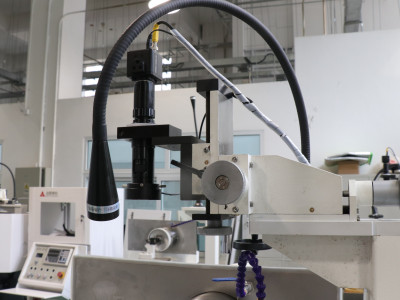
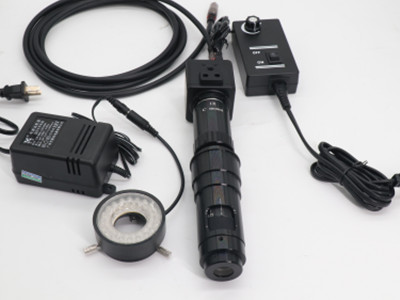
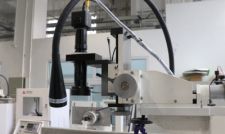
Fix CCD detection device no‑image blank screen fault for PCD grinding machine. Learn troubleshooting steps for frame grabber card & signal cable problems.
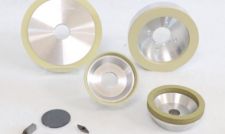
Professional PCD and PCBN tool grinding solutions with custom diamond grinding wheels and standardized processes. Eliminate graphitization & edge chipping for high-precision super-hard tool processing.
Add: Zhongyuan Rd, Zhongyuan District, Zhengzhou, 450001, Henan, China
Tel: +86 17700605088



